
How to Correctly Implement Product, FAQPage, and HowTo Schema
The short answer
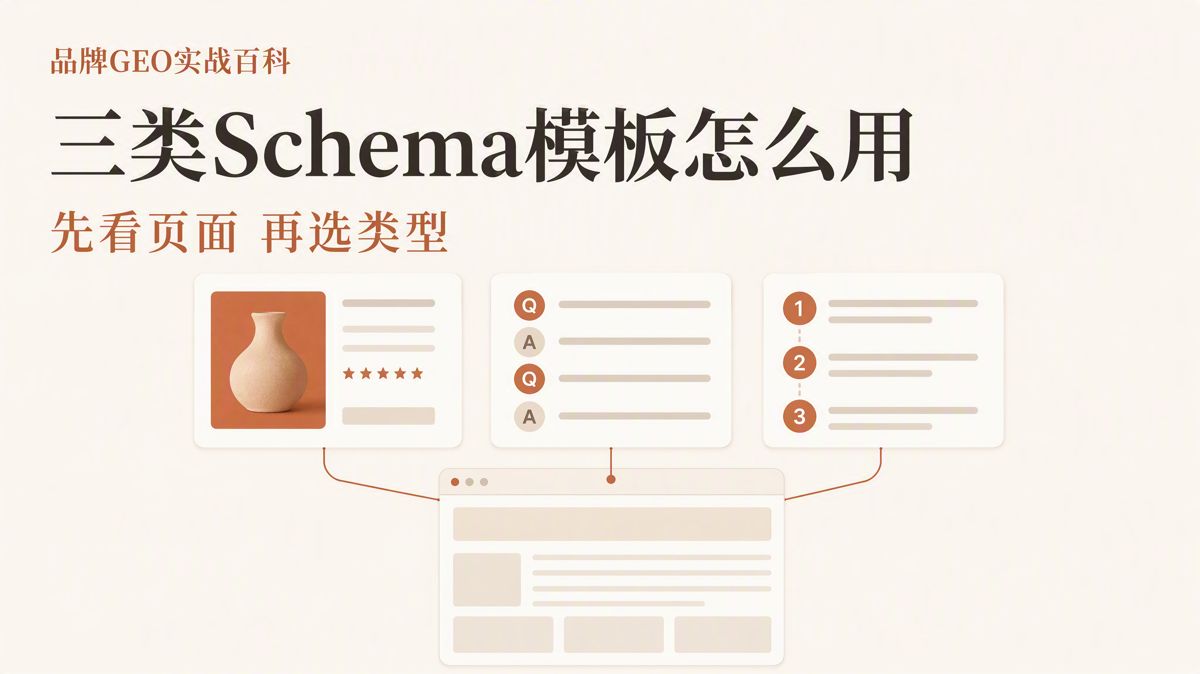
Do not blindly copy schema templates. Here is how Product, FAQPage, and HowTo structured data work—and how Google actually treats them today.
Before copying code templates for Product, FAQPage, and HowTo directly into your site, take a step back.
Product, FAQPage, and HowTo are structured data types defined by Schema.org. Structured data uses standardized fields to tell search engines what a page represents—clarifying which text corresponds to a product name, price, Q&A pair, or step-by-step tutorial.
JSON-LD is the standard format for writing structured data. It sits within your webpage source code, but it only annotates information already visible on the page. It cannot replace actual on-page copy.
If your page does not display a price, stock status, customer review, Q&A pair, or process duration, you cannot simply inject those data points into JSON-LD alone. The number of fields in a template does not dictate what you should use. Your actual page content does.
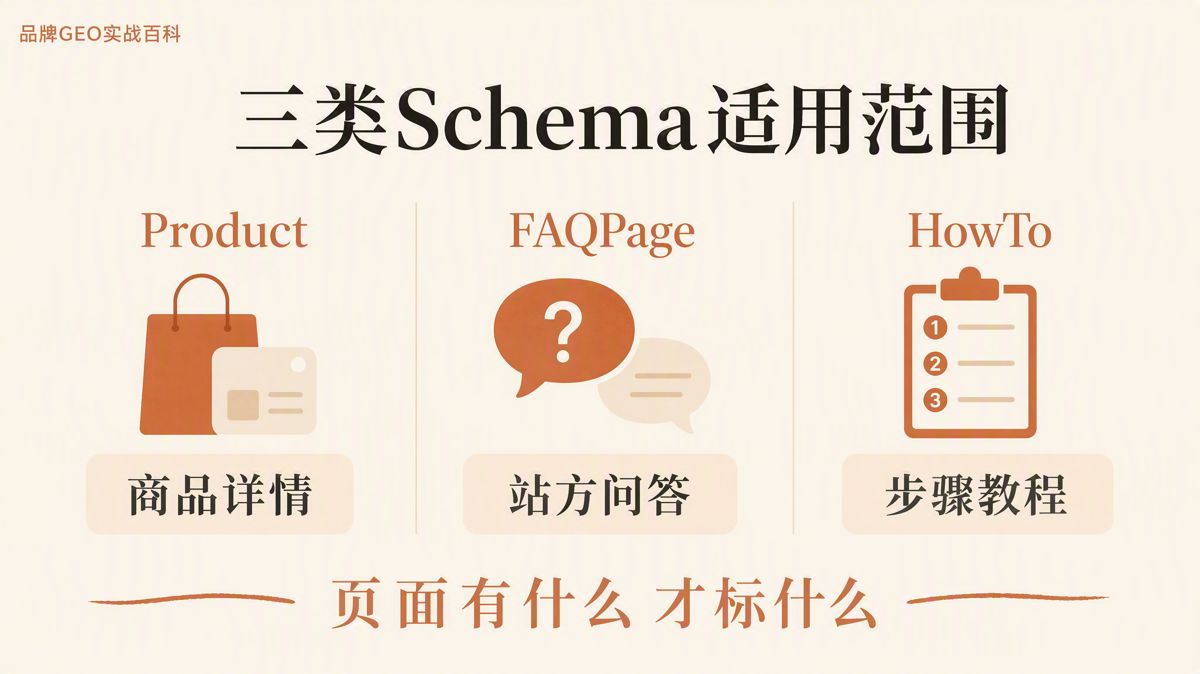
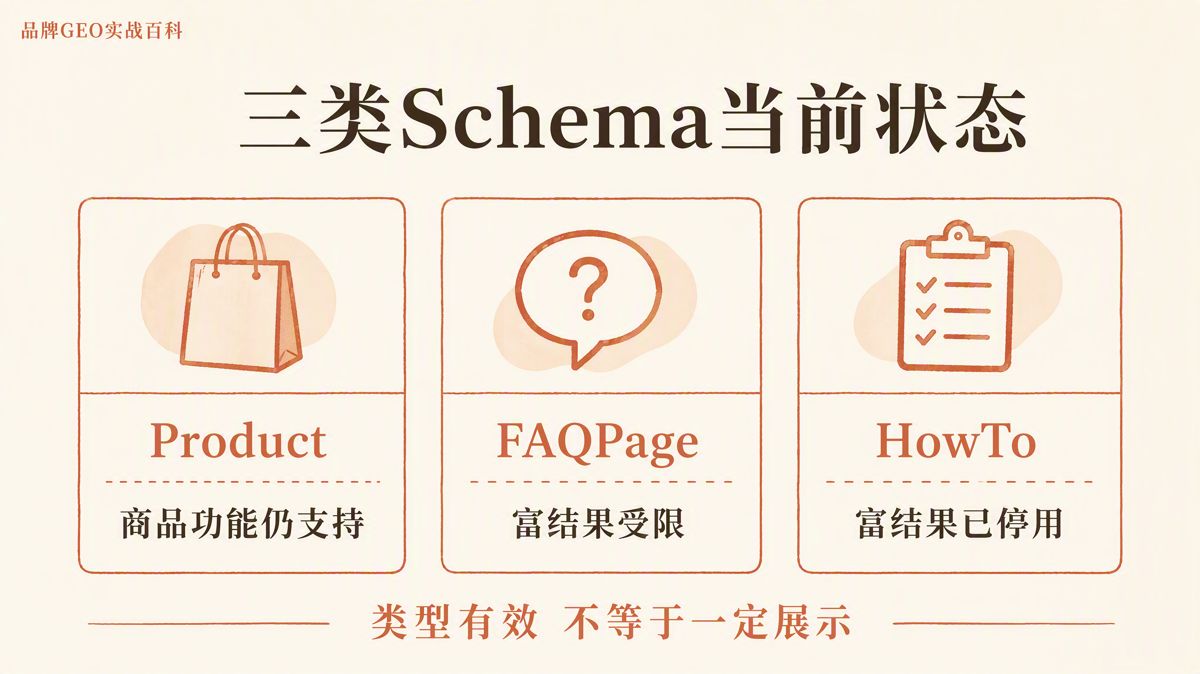
The purpose and current search engine support for these three types also differ significantly:
| Type | Best For | Primary Markup | Current Google Support |
|---|---|---|---|
| Product | Individual product or item detail pages | Product name, image, SKU, price, stock status | Fully supported for product-related search enhancements |
| FAQPage | Pages presenting a fixed list of official Q&As | Full, visible questions and answers | Rich results generally restricted to authoritative government and healthcare sites |
| HowTo | Tutorials with a strict, sequential order | Steps, tools, supplies, and duration | Rich results have been deprecated |
Rich results refer to expanded search listings that display extra details like pricing, inventory status, or expandable FAQ accordions.
The correct implementation sequence is straightforward: verify your page content first, select the appropriate schema type second, and fill in fields before running full validation last.
5 Things to Verify Before Writing Code
1. Only mark up visible on-page content
Prices, inventory, answers, and instructions must never exist solely inside JSON-LD. Structured data can only describe what human visitors can see on the page.
You can use accordion elements for FAQs, provided the complete question and answer are fully viewable once expanded.
2. Delete fields you do not have or cannot verify
Sample prices, placeholder URLs, fake ratings, and dummy dates must be removed before going live.
If your page lacks a specific data point, delete the corresponding field from the JSON-LD script. Never leave placeholder values in place, and never fabricate data just to clear an optional warning in a validation tool.
3. Use standard JSON-LD tags
JSON-LD should be placed within standard HTML script tags:
<script type="application/ld+json">
Google recommends JSON-LD over other formats. However, valid syntax and correct placement only prove your code parses properly—they do not verify whether your prices, reviews, or stock statuses are accurate.
4. Separate Schema.org specifications from Google search features
Schema.org defines what types and properties exist across the web vocabulary. Google independently decides which of those types qualify for rich snippets and visual enhancements in search results.
Valid Schema.org code does not guarantee a Google rich result.
FAQPage and HowTo remain valid Schema.org types. However, Google's support for their visual rich results has changed. When deciding whether to deploy them, look at your site maintenance resources and semantic needs, not just whether the type exists in the dictionary.
5. Check real crawled output, not just static code
Test your code syntax first, then validate it with dedicated tools. Once the page is live, review the raw page source and Google URL Inspection data to confirm that:
- Your CMS or template engine did not escape or break the JSON-LD;
- The live page outputs the latest code revision;
- Edge caches or CDNs are not serving stale structured data;
- The rendered code Google fetched matches what appears in the browser.
A validation tool showing "Valid" only means your markup adheres to formatting rules. It does not ensure Google will grant visual rich results.
Product: For Discrete Item Detail Pages
If a page details a single, identifiable commercial item, start with this baseline template.
This template uses offers to declare pricing and availability without review fields, making it suitable for product pages that lack authenticated customer reviews.
<script type="application/ld+json">
{
  "@context": "https://schema.org",
  "@type": "Product",
  "@id": "https://example.com/products/model-a#product",
  "name": "Sample Product A",
  "image": [
    "https://example.com/images/model-a.jpg"
  ],
  "description": "A concise description matching the page copy covering product utility and core specifications.",
  "sku": "MODEL-A-001",
  "brand": {
    "@type": "Brand",
    "name": "Sample Brand"
  },
  "offers": {
    "@type": "Offer",
    "url": "https://example.com/products/model-a",
    "priceCurrency": "USD",
    "price": "149.00",
    "availability": "https://schema.org/InStock",
    "itemCondition": "https://schema.org/NewCondition"
  }
}
</script>
Before publishing, replace every field with live page data:
| Field | Meaning |
|---|---|
@id |
Unique URI identifier for the product entity |
url |
Canonical URL of the product page |
name |
Exact product title |
image |
Direct image URL of the product |
description |
Product overview consistent with visible copy |
sku |
Stock Keeping Unit identifier |
brand |
Brand entity name |
priceCurrency |
Three-letter currency code (e.g., USD, EUR) |
price |
Live transactional price shown on the page |
availability |
Current inventory status |
itemCondition |
Physical condition, such as NewCondition |
Google Product snippets require a name, along with at least one of the following: offers, review, or aggregateRating. The template above satisfies this with offers.
If your page allows direct online checkout, review Google documentation for Merchant listings to see if additional fields like shipping details or return policies are required.
Only include review or aggregateRating if real, verifiable user feedback is displayed directly on that page. If you do not collect public reviews, leave those fields out.
Handling B2B Product Pages Without Public Pricing
Many B2B sites do not list standard pricing.
You can still use Schema.org Product markup to define the item, specifications, and brand identity. However, whether it qualifies for Google Product snippets or Merchant listings depends on Google's strict requirements for pricing data.
If your page requires users to "Request a Quote" and shows no fixed price, do not fabricate an arbitrary number just to fill the offers object.
FAQPage: For Curated Editorial Q&As
FAQPage markup applies to pages presenting curated, site-managed questions and answers. Every question and answer marked in JSON-LD must appear in full on the page.
<script type="application/ld+json">
{
  "@context": "https://schema.org",
  "@type": "FAQPage",
  "mainEntity": [
    {
      "@type": "Question",
      "name": "What operational environments does Product A support?",
      "acceptedAnswer": {
        "@type": "Answer",
        "text": "Product A operates across Environment 1 and Environment 2. Detailed operating limits are listed in the specification table."
      }
    },
    {
      "@type": "Question",
      "name": "How do I submit an RMA or service request for Product A?",
      "acceptedAnswer": {
        "@type": "Answer",
        "text": "Submit a request through your account dashboard with your original order number and a description of the issue."
      }
    }
  ]
}
</script>
Question.name must match the exact question text on the page, and acceptedAnswer.text must mirror the complete visible answer. If content is housed in accordions, ensure the full text is accessible in the DOM.
If a page features a single question where community members submit different answers, do not use FAQPage. Use QAPage markup instead.
Keep in mind that since August 2023, Google has restricted FAQ rich results almost entirely to authoritative government and healthcare websites.
Commercial businesses can still retain clean FAQPage markup if it carries low maintenance overhead and helps machine readability, but you should not treat it as a guaranteed route to SERP real estate.
HowTo: For Sequential Step-by-Step Instructions
HowTo markup is designed for procedural guides that follow an explicit order. Every step, tool, material, and timeframe in the schema must correspond to the visible text.
The following example covers a 30-minute guide with two materials, one tool, and three sequential steps:
<script type="application/ld+json">
{
  "@context": "https://schema.org",
  "@type": "HowTo",
  "name": "How to Install Sample Product A",
  "description": "A guide covering pre-installation checks, mounting, and initial power testing.",
  "totalTime": "PT30M",
  "supply": [
    {"@type": "HowToSupply", "name": "Mounting screws"},
    {"@type": "HowToSupply", "name": "Insulating tape"}
  ],
  "tool": [
    {"@type": "HowToTool", "name": "Phillips screwdriver"}
  ],
  "step": [
    {
      "@type": "HowToStep",
      "name": "Inspect components",
      "text": "Check that the main unit, hardware kit, and user manual are present.",
      "url": "https://example.com/guides/install-model-a#step1"
    },
    {
      "@type": "HowToStep",
      "name": "Mount the hardware",
      "text": "Fasten the unit securely at the designated mounting points.",
      "url": "https://example.com/guides/install-model-a#step2"
    },
    {
      "@type": "HowToStep",
      "name": "Complete system test",
      "text": "Connect the power source and run through the operational checklist.",
      "url": "https://example.com/guides/install-model-a#step3"
    }
  ]
}
</script>
totalTime uses ISO 8601 duration format, where thirty minutes is expressed as PT30M.
Step titles, step copy, and anchor links must align with on-page sections. If your tutorial requires no physical supplies or tools, drop the supply and tool arrays entirely.
Google has deprecated HowTo rich results, and the Rich Results Test no longer tests for them. The reason to use HowTo today is not to earn SERP badges, but to help AI engines, voice assistants, and semantic parsers interpret step-by-step documentation clearly.
If your team lacks the bandwidth to maintain structured HowTo code, clean HTML semantic tags (like ordered lists and clear subheadings) are entirely sufficient.
Combining Multiple Schemas on a Single Page
You can place Product, FAQPage, and HowTo on the same URL, provided the page genuinely contains all three content types.
For instance, an e-commerce product detail page might feature the item specs, official product FAQs, and installation instructions. You can connect them inside a single JSON-LD block using @graph, or separate them into multiple <script type="application/ld+json"> tags.
Regardless of technical structure, ensure that:
- Each entity has a clear primary subject;
@idvalues and canonical URLs align correctly;- All schema properties match visible on-page content.
Avoid pasting generic templates across every site page. Only apply markup where the corresponding content exists.
| Comparison Area | Product | FAQPage | HowTo |
|---|---|---|---|
| Primary Subject | A specific physical or digital item | A list of editorial Q&A pairs | A single sequential process |
| Required On-Page Display | Item name, price, stock status, specs | Every full question and answer | All steps, tools, materials, and timeframes |
| Common Violations | Fake ratings, missing prices | Marking up text absent from the UI | Fabricated durations or missing step copy |
| Google Search Status | Fully supported for shopping listings | Restricted primarily to gov/health domains | Rich results deprecated |
Pre-Launch Verification Workflow
Step 1: Validate JSON syntax
Run your script through a basic JSON validator to check for unclosed brackets, missing commas, or quote errors that would break script parsing.
Step 2: Validate Schema.org compliance
Use the Schema.org Validator to confirm your object types, property names, and entity nestings conform to Schema.org standards.
Step 3: Check Google Search feature compatibility
Run the URL or code through Google's Rich Results Test for Product markup to review snippet eligibility or Merchant listing issues.
Note that FAQPage may flag limited visibility depending on domain type, while HowTo is no longer tracked by this tool.
Step 4: Verify the rendered crawl
After deploying, run the URL through Google Search Console's URL Inspection tool. Confirm that Google renders your updated JSON-LD block without script truncation, template escape errors, or stale CDN caching.
Passing automated tests only confirms that your code adheres to technical syntax. Google's algorithm independently evaluates page quality, crawl frequency, search query relevance, and site authority before rendering visual rich snippets.
5 Common Misconceptions
1. Does Product schema require offers, review, and aggregateRating simultaneously?
No. Product snippets require a name and at least one of those three options. Include only what your page actually displays. If you do not have customer reviews, do not fabricate an aggregateRating.
2. Should commercial brands still use FAQPage schema?
You can keep FAQPage markup if it is automated or simple to maintain, as it clarifies entity relationships for search engines and LLMs. However, do not treat it as a reliable way to get expandable FAQ snippets in Google search results.
3. Is HowTo schema useless now that Google deprecated rich results?
Google has dropped visual HowTo snippets, but Schema.org maintains the specification. Deploy it if you want semantic clarity for AI parsers and alternative search platforms, but skip it if you are solely chasing Google SERP features.
4. Can multiple schema types live in the same JSON-LD block?
Yes. You can bundle multiple entities inside an @graph array within one script tag, or place separate <script type="application/ld+json"> tags across your template. What matters is the integrity of each entity and its alignment with visible copy.
5. Why are rich results missing even though validation passed?
Validation tools simply verify syntax and baseline schema compliance. Visual rich results depend on domain authority, site quality, search intent, geographic filters, and real-time algorithm policies.
The 3 Final Criteria
Product, FAQPage, and HowTo schema are not generic code snippets to deploy across a site indiscriminately. Every implementation must be grounded in actual page content.
Before deploying any schema code, confirm three things:
- Does the page genuinely present this information to users?
- Does the JSON-LD strictly mirror what the user sees?
- Can your team maintain this data accurately over time?
If you can verify all three, implement the markup. If a data point is missing or unstable, omit the field entirely rather than publishing placeholder code.
References
- Google Product structured data: https://developers.google.com/search/docs/appearance/structured-data/product
- Google Product snippet guidelines: https://developers.google.com/search/docs/appearance/structured-data/product-snippet
- Google Search documentation on FAQ and HowTo changes: https://developers.google.com/search/blog/2023/08/howto-faq-changes
- Schema.org Product specification: https://schema.org/Product
- Schema.org FAQPage specification: https://schema.org/FAQPage
- Schema.org HowTo specification: https://schema.org/HowTo
The English edition is rewritten from the original Chinese article on the same topic.

Starbox AI is an AI marketing company based in Hangzhou, China. This article draws on Starbox project work. Please credit the source when quoting.
Related reading
 GEO Guide
Why AI Marketing Vendor Quotes Vary 10x: A 4-Step Vetting Checklist
Evaluate AI marketing proposals by delivery actions, not slide decks. Audit source infrastructure, fact cleaning, and clean-environment testing.
Oct 22, 2026 · 6 min read
GEO Guide
Why AI Marketing Vendor Quotes Vary 10x: A 4-Step Vetting Checklist
Evaluate AI marketing proposals by delivery actions, not slide decks. Audit source infrastructure, fact cleaning, and clean-environment testing.
Oct 22, 2026 · 6 min read
 GEO Guide
Spotting GEO Scams: What Actually Drives AI Recommendations?
Automated AI ranking promises violate how LLMs work. Real AI recommendations rely on authoritative, structured facts across trusted public sources.
Oct 22, 2026 · 4 min read
GEO Guide
Spotting GEO Scams: What Actually Drives AI Recommendations?
Automated AI ranking promises violate how LLMs work. Real AI recommendations rely on authoritative, structured facts across trusted public sources.
Oct 22, 2026 · 4 min read
 GEO Guide
How to Measure Your Brand's AI Visibility with a Spreadsheet
You do not need expensive software to track AI recommendations. A three-tier prompt framework and a simple spreadsheet can score your brand visibility in half a day.
Oct 21, 2026 · 6 min read
GEO Guide
How to Measure Your Brand's AI Visibility with a Spreadsheet
You do not need expensive software to track AI recommendations. A three-tier prompt framework and a simple spreadsheet can score your brand visibility in half a day.
Oct 21, 2026 · 6 min read