# How to Write Titles, H1s, and Meta Descriptions: Align the Topic First
> Before obsessing over keyword counts or character limits, make sure your Title, H1, and Meta description all describe the exact same page topic.
Source: https://www.starbox.work/en/insights/geo-guide/geo126/ (Starbox AI Insights, updated 2026-10-10)
If you are new to web content optimization, do not start by memorizing rigid rules. Generative Engine Optimization (GEO) focuses on making brand content easy for generative search engines and AI answer engines to interpret accurately. The foundational step is simple: make sure every page clearly communicates its topic.
Search Engine Optimization (SEO) helps search engines discover, understand, and display web pages. Whether you are optimizing for GEO or standard SEO, Title tags, H1 headers, and Meta descriptions are not complex formulas. They are simply three distinct pieces of text placed in different locations on a page, each with its own role.
- The **Title** lives in the HTML `` tag and often serves as the clickable headline in search results.
- The **H1** is the primary visual headline readers see when they land on the page.
- The **Meta description** (or Meta) is a summary tag in the HTML source code that search engines may display as the snippet under your title link.
The most common error across these three elements is not a missing keyword or an imperfect character count. It is that all three talk about different topics.
For example, a Title might highlight a specific technical service, while the H1 introduces the parent company, and the Meta description pitches an unrelated product line. Each sentence reads well on its own, but together they contradict each other. Visitors cannot immediately confirm why they are on the page, and search engines cannot determine the page's core focus.
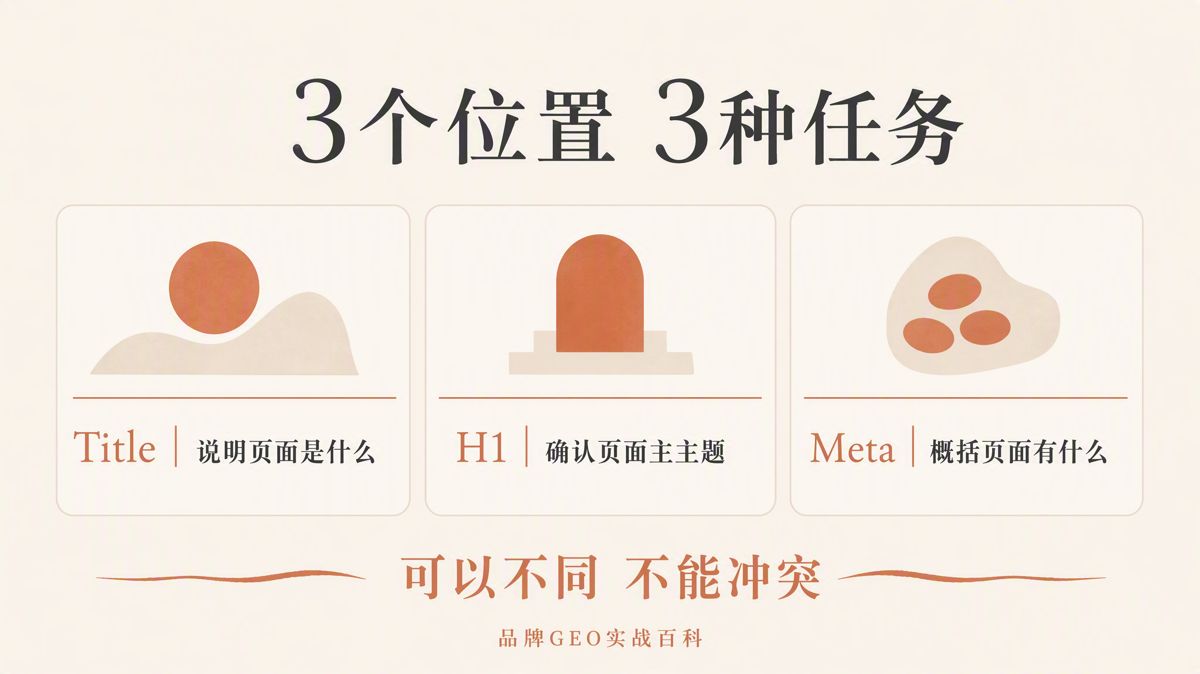
The relationship between all three comes down to one principle: **Unified topic, distinct roles, no robotic repetition.**
- The Title tells search engines and prospective visitors what the page is.
- The H1 confirms to visitors who just landed what the page covers.
- The Meta description summarizes what problem the page solves, what content it includes, and who it is written for.
You do not need three separate keyword lists, and there is no special formatting required for AI.
## Clarify What Each Element Does
HTML organizes the structure of a web page. The Title and Meta description sit inside the HTML head code, while the H1 is visually prominent in the page body.
| Element | Location | Primary Role | Common Mistakes |
|---|---|---|---|
| Title | HTML `<title>` tag; often the clickable search result link | Concisely and accurately states the page topic; differentiates the page from others on the site | Keyword stuffing, site-wide duplicates, title-content mismatch |
| H1 | Visible main headline on the page | Confirms the topic for readers; helps search engines identify primary content | Buried headline, multiple competing top-level headings |
| Meta description | HTML `<meta name="description">` tag; potential snippet source | Accurately summarizes page scope, problem solved, and target audience | Identical copy across the site, empty marketing slogans, making claims absent from the body |
Take a guide on sourcing CNC machining for medical devices as an example (CNC stands for Computer Numerical Control, referring to automated manufacturing via machine tools):
```html
<title>Medical Device CNC Machining: Materials, Tolerances, and Lead Times | Example
How to Select Medical Device CNC Machining Services
```
These three elements do not repeat each other word-for-word, but they all center on one clear topic: selecting CNC machining for medical devices.
- The Title defines the topic and adds three critical decision criteria (materials, tolerances, lead times).
- The H1 states the core problem the reader needs to solve.
- The Meta description clarifies the exact scope of the content and the target audience.
Align the topic, not every individual word.
## How to Write a Title: State What the Page Is
Google recommends providing a unique `` tag for every page. It should accurately describe the specific page, remain concise, and avoid keyword stuffing, boilerplate templates, or oversized trailing brand names.
Google does not mandate a strict character limit. Search results truncate titles based on device viewport width. Rather than counting characters, place the primary topic and essential qualifiers at the start of the title.
Use this structure:
```text
Core Topic or Question + Necessary Qualifier | Short Site Name
```
Example:
```html
<title>Medical Device CNC Machining: Materials, Tolerances, and Lead Times | Example
```
This title explains what the page covers and lists the primary evaluation criteria. The brand name sits at the end without overwhelming the headline.
It avoids unsupported buzzwords like "Best," "Industry-Leading," or "All-in-One Solution," and it avoids stringing together near-identical synonyms.
### Title Tag Checklist
1. Every indexable page has a unique ``.
2. The topic in the title matches the page body.
3. Every page on your site has a distinct title.
4. The primary topic and key qualifiers come first.
5. The brand name is brief and placed at the end.
6. The title avoids keyword stuffing and unsubstantiated superlatives.
If your site has numerous product or service pages, standardize the title structure while keeping the product name, model number, or specific use case unique on every page.
A shared template should standardize structure, not produce duplicate titles.
## How to Write an H1: Confirm the Topic Immediately
The H1 is the first headline visitors see when they land on your page.
When Google generates title links in search results, it considers the `<title>`, prominent visual headings, H1 elements, and other distinct on-page text. Your H1 does more than adjust font size; it confirms the core subject of the page.
Instead of debating whether a page can have more than one H1, solve the practical problem: does the page have a single, prominent main headline?
If a page features two or three equally large headlines, both users and search engines struggle to identify the main focus. The cleanest approach is to place the primary topic in the first visible H1 and visually differentiate it from subsequent headings.
Example:
```html
<h1>How to Select Medical Device CNC Machining Services</h1>
```
An H1 can read more naturally than a Title. It does not need your brand name, nor does it need every qualifier crammed into one line. Specific details like materials, tolerances, certifications, and lead times can be structured under subsequent H2 and H3 subheadings.
This keeps your primary heading clean while giving readers an organized, scannable structure.
### H1 Checklist
1. The main headline is visible above the fold without scrolling.
2. The headline clearly summarizes the page's core focus.
3. The page does not have multiple competing top-level headlines.
4. The H1 aligns with the topic set in the Title tag.
5. Subheadings (H2, H3) follow a logical hierarchy rather than serving as visual styling tools.
## How to Write a Meta Description: Specify What the Page Delivers
A Meta description is a candidate source for a search snippet, not guaranteed display copy.
Google primarily generates search snippets from on-page content. It uses the Meta description when that text describes the page more effectively than on-page excerpts. Depending on the user's query, search engines may display different snippets for the exact same URL.
Google also has no fixed character requirement for Meta descriptions. Snippets truncate based on screen size, so focus on accuracy and readability rather than hitting an arbitrary character count.
Place the most valuable information up front using this structure:
```text
Problem Solved + Specific Scope Covered + Target Audience
```
Example:
```html
<meta name="description" content="A practical checklist covering materials, tolerances, surface finishing, compliance documentation, and lead times for engineering and procurement teams evaluating CNC suppliers.">
```
This summary explains the problem solved, the topics covered, and the intended audience. Every claim in the description is backed up by facts within the page.
Your Meta description is not an ad detached from the page. If your body copy lacks verifiable evidence, do not claim "fastest turnaround" or "100% defect-free" in the snippet.
### Meta Description Checklist
1. Every core page has a unique description.
2. The summary accurately reflects the page rather than repeating a company tagline.
3. Key differentiators and critical details appear near the beginning.
4. Product pages include specs, model numbers, or pricing found on the page.
5. It avoids keyword stuffing.
6. It makes no promises that the body text cannot back up.
## How to Combine All Three Across Different Page Types
Different page types serve different intents. Adjust your Titles, H1s, and Meta descriptions accordingly:
| Page Type | Title Structure | H1 Structure | Meta Description Focus |
|---|---|---|---|
| Homepage | Brand Name + Core Value Proposition | Primary Company or Product Positioning | Target audience, core capabilities, primary product lines |
| Product Page | Product Name + Model or Core Use Case | Official Product Name | Key specs, applications, availability, compliance |
| Service Page | Service Name + Core Problem Solved | The Primary Client Challenge Addressed | Scope of work, deliverables, engagement boundaries |
| Guide Page | Specific Question + Key Qualifier | Natural-Language Question or Clear Topic | Steps covered, criteria analyzed, target reader |
| Case Study Page | Client Category + Specific Outcome Achieved | Core Challenge of the Project | Background, actions taken, verifiable results |
Across all page types, the level of detail can vary, but the underlying entities, product models, dates, and conclusions must never contradict each other.
A reliable writing sequence:
1. Confirm what question or problem the body copy actually answers.
2. Write the H1 based on that answer.
3. Add necessary qualifiers and a concise brand name to the H1 to create your Title.
4. Draft the Meta description based on the exact scope of the body copy.
Following this order prevents writing high-promise titles that your content fails to deliver.
## What "GEO-Friendly" Actually Means
Generative search engines compile answers directly from web content. Optimizing for these engines does not require inventing a new title syntax, nor does including specific buzzwords guarantee an AI citation.
Google's guidance on generative AI search features states that core SEO best practices remain the foundation. You do not need to rewrite your tone or force artificial formats for AI systems.
A page must first be discoverable and indexable. The content must be reliable, people-first, and clearly structured with logical headings and paragraphs. Within this framework, Titles, H1s, and Meta descriptions exist to clarify page topics, not to manipulate algorithms.
Making your page tags GEO-friendly means eliminating common failure points:
- Ambiguous or conflicting page topics;
- Titles that diverge from the body text;
- Indistinguishable pages across the same domain;
- Missing or weak primary headings;
- Descriptions packed with empty marketing claims;
- Content lacking verifiable factual support.
Title tags and H1 headers help engines identify a topic, but they cannot invent facts missing from the body copy. A Meta description provides a summary candidate, but it cannot compensate for thin content or guarantee rankings.
If your page fails to define product specifications, scope boundaries, or procedural steps, rewriting the tags will not fix the problem.
Page clarity ultimately depends on the factual depth of your content.
## A 6-Step Workflow for Site Migrations and Redesigns
### Step 1: Export Current Inventory
Export the URLs, existing Titles, H1s, and Meta descriptions for your high-priority pages. You need a complete baseline before making edits. Working without a master list leads to overlooked duplicate pages and makes tracking changes impossible.
### Step 2: Group by Page Type
Segment your export into homepages, product pages, service offerings, guides, and case studies. Audit each group for blank fields, duplicates, outdated details, or conflicting claims.
### Step 3: Prioritize Edits
Focus first on your homepage, core commercial pages, and high-traffic URLs. Do not waste momentum trying to overhaul low-value legacy pages in a single pass.
### Step 4: Audit Against On-Page Facts
Verify that the Title, H1, and Meta description align with the body copy on every page. Check for consistency across:
- Core entities;
- Product names;
- Dates and release years;
- Model numbers;
- Target regions;
- Core conclusions.
If your tags contradict your body copy, update the tags to reflect the true content of the page.
### Step 5: Verify Source Code and Rendered Pages
After publishing, inspect both the HTML source code and the live page in a browser. Ensure your CMS outputs content into the actual `<title>` and `<meta name="description">` tags rather than saving it only in internal database fields.
### Step 6: Allow Time for Re-indexing
Google notes that updating title links and snippets can take anywhere from a few days to several weeks. You can request a recrawl in Google Search Console for critical pages, though search engines may still adjust the final displayed snippet based on the search query.
## Pre-Launch QA Checklist
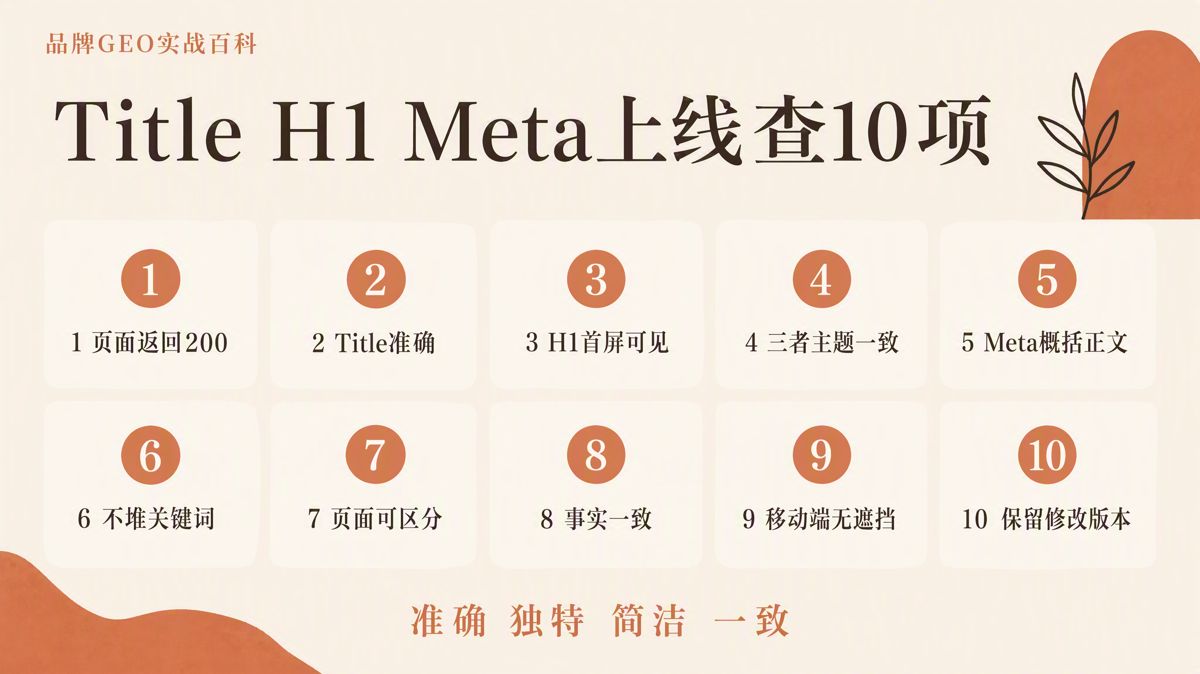
1. The page returns an HTTP 200 status code and allows indexing.
2. The HTML contains a single, accurate `<title>`.
3. The page features a clear, visible main headline above the fold.
4. The Title and H1 center on the exact same core topic.
5. The Meta description accurately summarizes the body text.
6. None of the three elements contain keyword stuffing.
7. There are no site-wide duplicate templates across different pages.
8. Brand names, product specs, dates, and metrics are consistent throughout.
9. The primary headline displays clearly on mobile devices without truncation.
10. Version notes and change dates are logged before and after launch.
## Final Takeaway
Your Title tells search systems what the page is. Your H1 confirms to the visitor where they have landed. Your Meta description provides a concise summary of the value inside.
Keep them aligned on the exact same topic, but let each handle its distinct job. Avoid rigid formulas, keyword counts, and artificial AI formatting. Focus on making them accurate, distinct, concise, and consistent, then refine them based on actual search performance and user behavior.